MM9 Account Security in 2026: A Practical Guide to Protecting Your Account
MM9 account security should be treated as seriously as the games, bonuses, and other features you use on the platform. Whether you access MM9 through an Android application, mobile browser, or another supported route, your login credentials, phone number, OTPs, device information, and payment-related details can become valuable targets for scammers. The safest approach is simple: protect the account before a problem occurs rather than trying to recover it after suspicious activity.
This MM9 security guide focuses on practical account-protection habits rather than promising that any third-party app or website is automatically safe. Online sources currently describe multiple MM9-related domains and applications, and some explicitly identify themselves as independent informational or referral sites rather than official operators. That makes verification especially important before entering credentials or downloading an APK. :contentReference[oaicite:0]{index=0}
Quick answer: To protect an MM9 account, use a unique password, never share OTPs or login credentials, verify the website or APK source before signing in, avoid suspicious referral links, keep Android updated, review account activity regularly, and contact the platform through a verified support channel when something looks wrong.
MM9 Security Checklist: Start With These Essentials
Before exploring advanced security controls, secure the basics. Most account problems begin with simple mistakes such as reusing passwords, installing an APK from an unknown source, clicking a copied login link, or giving an OTP to someone claiming to be support. A secure setup does not need to be complicated; it needs to be consistent.
- Use a strong password that is not reused on other websites or apps.
- Never share your password, OTP, PIN, or authentication code with another person.
- Download applications only from a source you have independently verified.
- Check the domain carefully before entering a mobile number or password.
- Keep Android, Google Play system components, and security software updated.
- Lock your smartphone with a strong screen-lock method.
- Avoid logging into gaming accounts on shared or public devices.
- Do not save passwords in browsers on devices used by other people.
- Review unusual notifications, login messages, or account changes immediately.
- Contact verified support instead of relying on random Telegram, WhatsApp, or social-media contacts.
Table of Contents
Why MM9 Account Security Matters More Than the Bonus
Searches around MM9 commonly include terms such as MM9 download, MM9 APK, MM9 login, MM9 game, MM9 app, and MM9 latest version. Those searches can lead users to different websites, and the existence of multiple similarly named domains makes source verification an important part of digital safety. One MM9-related site, for example, explicitly says it is an independent informational and referral platform and does not operate the application or manage user accounts. :contentReference[oaicite:1]{index=1}
Security is therefore not simply about creating a password. It is about controlling the complete chain between your device and account: where you download software, which website you visit, what permissions you grant, where you enter credentials, who receives your OTP, and how you respond to suspicious activity.
If you are still learning how MM9 works, start with the MM9 download guide and compare the information with the platform's currently available instructions before installing anything. For users experiencing access problems, the MM9 login guide can also help separate ordinary login errors from potentially serious account-security issues.
The Most Common MM9 Account Security Risks
Account threats usually fall into a few recognizable categories. Understanding them makes suspicious activity easier to identify. Phishing is one of the most common risks: a fake page can imitate a login screen and attempt to collect your mobile number, password, OTP, or other information. Malware is another concern, especially when an APK is obtained from an unknown source. A compromised phone can expose information beyond a single gaming account.
| Security Risk | What Can Happen |
|---|
| Fake login page | Credentials may be collected by a third party |
| Unknown APK | Malicious or unwanted software may be installed |
| Shared password | Another person may gain account access |
| OTP sharing | A login or verification attempt may be completed by someone else |
| Fake support account | Scammers may request credentials or payment information |
| Public device login | Credentials or sessions may remain accessible |
A useful rule is to treat urgency as a warning sign. Messages claiming that your bonus will expire immediately, your account will be blocked unless you pay, or your withdrawal requires an unexpected password or OTP should be independently verified before you take action.
How to Protect Your MM9 Login
Use a Unique Password
Your MM9 password should not be the same password used for email, social media, banking, shopping, or another gaming account. Password reuse creates a chain reaction: if one unrelated service is compromised, attackers may try the same credentials elsewhere.
A practical password should be long, difficult to guess, and free from obvious personal information such as your name, birth year, phone number, or favorite team. A reputable password manager can make unique credentials easier to maintain without requiring you to memorize every password.
Protect the Login Session
Do not log into your account through links sent by strangers. Instead, open your browser or trusted application yourself and navigate to the verified access point. Check the spelling of the domain before entering credentials. Small differences in domain names can be difficult to notice on a mobile screen.
If you suspect that someone has accessed your account, change the password immediately from a trusted device and review any available account activity or security notifications. If the platform provides session management, remove unfamiliar sessions.
OTP Safety: The Code You Should Never Share
An OTP is designed to prove that the person completing an authentication step has access to the registered phone or authentication method. It should be treated as private information. Genuine support should not need you to disclose a one-time authentication code simply to discuss an account problem.
Scammers may create convincing stories involving account verification, withdrawals, bonuses, VIP status, referral rewards, or technical problems. The subject can change, but the underlying request is the same: they want you to reveal a security code. Do not provide it.
- Never send an OTP through chat.
- Never post an OTP in screenshots.
- Do not read an OTP aloud to an unknown caller.
- Do not approve an authentication request you did not initiate.
- If an unexpected OTP arrives, investigate rather than automatically using it.
MM9 APK Security: What to Check Before Installation
APK installation deserves extra caution because Android packages obtained outside an official app store can come from many different sources. Search results for MM9 currently show several independent websites offering APK-related information, while another MM9-related source states that it does not host or distribute application files. :contentReference[oaicite:2]{index=2} This is exactly why users should not assume that every page using the MM9 name is operated by the same organization.
Before installing an MM9 APK, verify the source, inspect the requested permissions, check whether the file is being offered through a trustworthy channel, and avoid modified or cracked packages. If a download page pressures you to disable security protections, install unrelated applications, or provide sensitive information before downloading, stop and investigate.
For update-related questions, see the MM9 app troubleshooting guide and MM9 APK information rather than installing random replacement files from social-media posts.
Why APK Permissions Matter
An application may request permissions for legitimate technical reasons, but users should still understand what they are granting. Permissions related to contacts, SMS, notifications, files, microphone, camera, or location deserve particular attention. A permission request that appears unrelated to the app's stated function should be investigated before approval.
| Permission or Access | Security Question to Ask |
|---|
| SMS | Does the application genuinely need message access? |
| Contacts | Is contact access necessary for a feature I intend to use? |
| Files and media | Does the app need broader storage access than expected? |
| Camera | Is camera access required for a clearly explained feature? |
| Microphone | Is microphone access relevant to the application's function? |
| Location | Why would the service need my location? |
Android Security Habits That Strengthen MM9 Protection
Your account can only be as secure as the device through which you access it. Use a screen lock, install Android updates promptly, and keep Google Play Protect or equivalent built-in security protections enabled. Avoid installing applications from random file-sharing pages, especially if the package has been modified or is described as a “hack,” “unlimited bonus,” or “guaranteed winning” version.
Keep your email account secure as well. If your email is connected to account recovery, an attacker who controls your email may be able to interfere with recovery processes. Use a separate strong password and available multi-factor authentication on your email provider.
How to Identify Fake MM9 Links and Phishing Pages
Phishing pages often copy logos, colors, button layouts, and wording from legitimate services. Visual appearance is therefore not proof of authenticity. The address displayed in the browser is more useful, although even that should be checked carefully.
- Look for unusual spelling in the domain.
- Do not trust shortened links from unknown accounts.
- Be cautious when a page demands immediate payment or an OTP.
- Do not install an APK merely because a message calls it the latest version.
- Verify promotional claims directly before providing personal information.
- Do not assume that a page ranking in search results is automatically official.
This is particularly relevant for searches such as “MM9 game Play Store,” “MM9 game Play Store APK,” and “MM9 game Play Store login.” Search wording alone does not establish that a particular listing or website is an official Google Play distribution channel. Verify the publisher and listing directly before installing an application.
What to Do If You Suspect Your MM9 Account Was Compromised
Speed matters when you believe an account has been accessed without permission. Start by stopping further interaction with suspicious links or messages. Then change the password using a trusted device. Secure the email or phone account connected to recovery, review available account activity, and contact verified platform support if access or account information has changed.
- Stop responding to suspicious messages.
- Change the account password.
- Secure the connected email or mobile account.
- Review recent login or transaction information if available.
- Remove unfamiliar sessions or devices where the platform allows it.
- Contact verified support through an independently confirmed channel.
- Document suspicious messages or transactions for reference.
Never send your password, OTP, card PIN, or banking credentials to someone claiming to recover your account. One MM9-related support page specifically warns users not to share passwords or personal banking details with supposed support contacts. :contentReference[oaicite:3]{index=3}
Expert MM9 Account Security Tips for 2026
Separate Gaming Credentials From Important Accounts
Do not use your primary banking password, email password, or social-media password for gaming. Account separation limits the damage if one credential is exposed.
Verify Before You Trust
When a promotion, referral reward, VIP message, or withdrawal instruction arrives, verify it independently. Attractive rewards can make people act quickly, which is precisely what social-engineering attacks exploit.
Keep a Security Routine
Security is more effective as a routine than as a one-time setup. Every few weeks, review installed applications, browser permissions, account notifications, saved passwords, and device updates. Delete software you no longer need.
Do Not Chase Losses or Bonuses
Security also includes financial discipline. A bonus should never pressure you into depositing money you cannot afford to lose. Gaming-related promotions can have eligibility conditions, wagering requirements, expiry periods, or withdrawal restrictions, so read the current terms before participating.
MM9 Account Security: Safe Habits vs Risky Habits
| Safer Practice | Risky Practice |
|---|
| Use a unique password | Reuse the same password everywhere |
| Verify the source before downloading | Install APK files from random links |
| Keep OTPs private | Send verification codes to “support” contacts |
| Open verified websites directly | Sign in through unknown shortened links |
| Update Android regularly | Ignore security updates for long periods |
| Review unusual account activity | Ignore unexpected login notifications |
MM9 Security Pros and Cons of a Careful Setup
| Pros | Cons |
|---|
| Reduces the chance of credential theft | Requires regular security habits |
| Improves protection against phishing | Source verification takes extra time |
| Helps protect personal information | Strong passwords can be harder to remember |
| Makes suspicious activity easier to identify | Security checks may add extra steps |
| Reduces risk from unsafe APK files | Third-party downloads require careful evaluation |
Beginner Security Guide: Five Things to Do Today
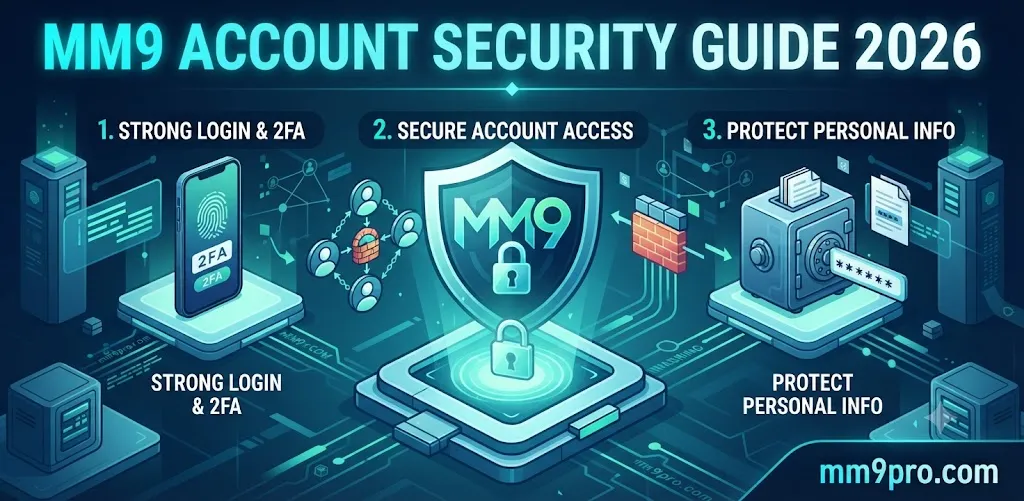
If you are new to MM9 or mobile gaming apps, do not try to change everything at once. Start with five simple actions: create a unique password, secure your phone, keep OTPs private, verify every download source, and avoid signing in through links received from strangers. These five habits eliminate several common attack paths without requiring advanced technical knowledge.
If you are learning how account registration works, the MM9 referral guide can help you understand referral-related activity while the MM9 VIP guide covers reward terminology. Always verify the current conditions shown by the service before acting on a promotion.
Advanced Security Checklist for Experienced Users
- Use a reputable password manager for unique credentials.
- Enable multi-factor authentication wherever the service supports it.
- Keep your recovery email independently protected.
- Review Android app permissions periodically.
- Remove unused applications and suspicious APK files.
- Check browser addresses before every sensitive login.
- Avoid rooting or modifying devices used for sensitive accounts unless you fully understand the security implications.
- Keep screenshots or records of legitimate transactions without exposing passwords or OTPs.
- Use secure private networks for sensitive account activity whenever possible.
Common MM9 Account Security Mistakes to Avoid
The most damaging mistakes are often surprisingly ordinary. Users may download a file because a stranger promises an exclusive bonus, reuse a password because it is convenient, or share an OTP because the person claims to be an administrator. None of these actions is necessary for responsible account management.
- Do not use “123456,” your phone number, or an obvious name-based password.
- Do not share your login with friends or agents.
- Do not install modified versions promising guaranteed wins.
- Do not disable security protections just to install an unknown application.
- Do not believe every “official” label displayed on an independent website.
- Do not provide banking credentials to solve a gaming support issue.
- Do not keep sensitive credentials in publicly accessible notes or screenshots.
MM9 Security and Responsible Gaming
Account security and responsible gaming belong together. Protecting credentials prevents unauthorized access, while responsible limits help prevent financial decisions driven by pressure or chasing losses. Only participate where legally permitted in your location, understand the applicable rules, and never treat bonuses or promotional claims as guaranteed income.
Before using any MM9-related service, verify the current operator information, terms, privacy information, and applicable age or geographic restrictions. Online sources currently make a variety of claims about MM9-related platforms, so independent verification is more reliable than assuming that every similarly named domain represents the same service. :contentReference[oaicite:4]{index=4}
MM9 Account Security FAQs
Is MM9 account security important?
Yes. Any online account containing personal information, login credentials, or transaction-related activity should be protected with strong authentication and careful device habits.
Should I share my MM9 OTP with support?
No. Keep OTPs private and verify support through an independently confirmed channel.
Is every MM9 APK safe to install?
No assumption should be made. Verify the source, publisher information, file origin, requested permissions, and device security before installing an APK.
Can a strong password protect my MM9 account completely?
No. A strong password is important, but phishing, malware, stolen sessions, unsafe devices, and social engineering can create additional risks.
What should I do if I receive an unexpected MM9 OTP?
Do not share or use it for an action you did not initiate. Secure your account and investigate whether someone may have attempted to log in.
Should I use the same password for MM9 and email?
No. Use separate passwords so a compromise of one account does not automatically expose another.
How can I identify a fake MM9 login page?
Check the domain carefully, avoid unknown links, and verify the website independently before entering credentials. A copied design or logo is not proof of authenticity.
Is downloading an MM9 APK from social media safe?
Social-media distribution should be treated cautiously. Verify the source independently and avoid modified or unknown packages.
What if someone asks for my MM9 password to fix a problem?
Do not provide it. Legitimate troubleshooting should not require you to disclose your private password to another person.
Can I use MM9 on a public phone?
It is safer to use your own trusted device. If you must use another device, avoid saving credentials and ensure you fully sign out afterward.
How often should I review my account security?
A periodic review is useful, especially after installing new software, changing devices, receiving suspicious messages, or noticing unexpected account activity.
What is the safest response to a suspicious bonus message?
Do not rush. Verify the promotion through a trusted source, read its current conditions, and never provide passwords, OTPs, or banking credentials to claim a reward.
Recommended Gaming Platforms to Explore Carefully
Users researching mobile gaming services may encounter several other platforms while comparing features, access methods, and promotional information. Treat these as separate services and verify each website independently rather than assuming that one platform's security standards apply to another.
Final MM9 Account Security Checklist
MM9 account security is not about finding one perfect setting. It is about building several small barriers that work together. Use a unique password, protect every OTP, verify the source of an MM9 APK, keep Android updated, inspect permissions, avoid suspicious links, and never allow urgency or bonus claims to override basic security judgment.
If you want to continue researching MM9, explore the MM9 real-or-fake guide, learn about MM9 withdrawal procedures, and review the MM9 troubleshooting guide for practical information. For account safety, the most important rule remains unchanged: protect your credentials yourself, verify information before trusting it, and never give passwords or OTPs to another person.
Security should come before bonuses, downloads, referrals, VIP rewards, or gameplay. A careful user takes a few extra seconds to verify a source today rather than spending hours trying to recover a compromised account tomorrow.

 MM9 Guide